
Investigative Solutions ©
Process surveillance video faster
V3 Video Editor is purpose-built for investigators who need precise, professional surveillance video without the complexity and time consumption associated with traditional video editing software.
 Fully built and supported in the USA
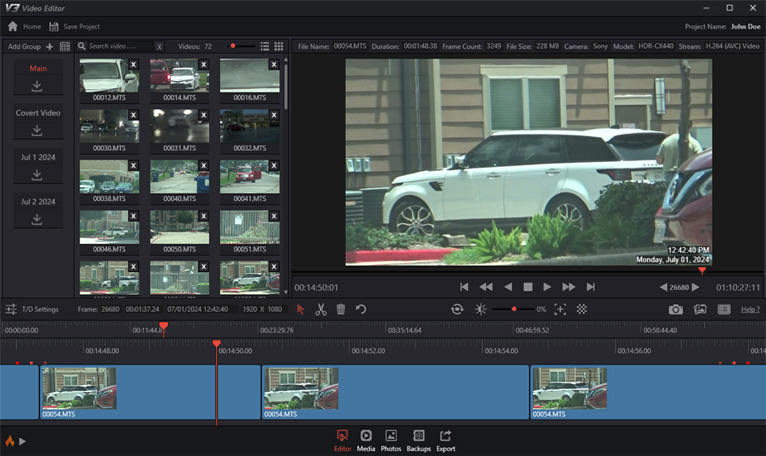
Professional surveillance video editing without the learning curve.
V3 Video Editor was created specifically for surveillance video. Quickly review footage, make precise cuts, manage time and date information, add titles, and produce professional exports — all from one intuitive application.
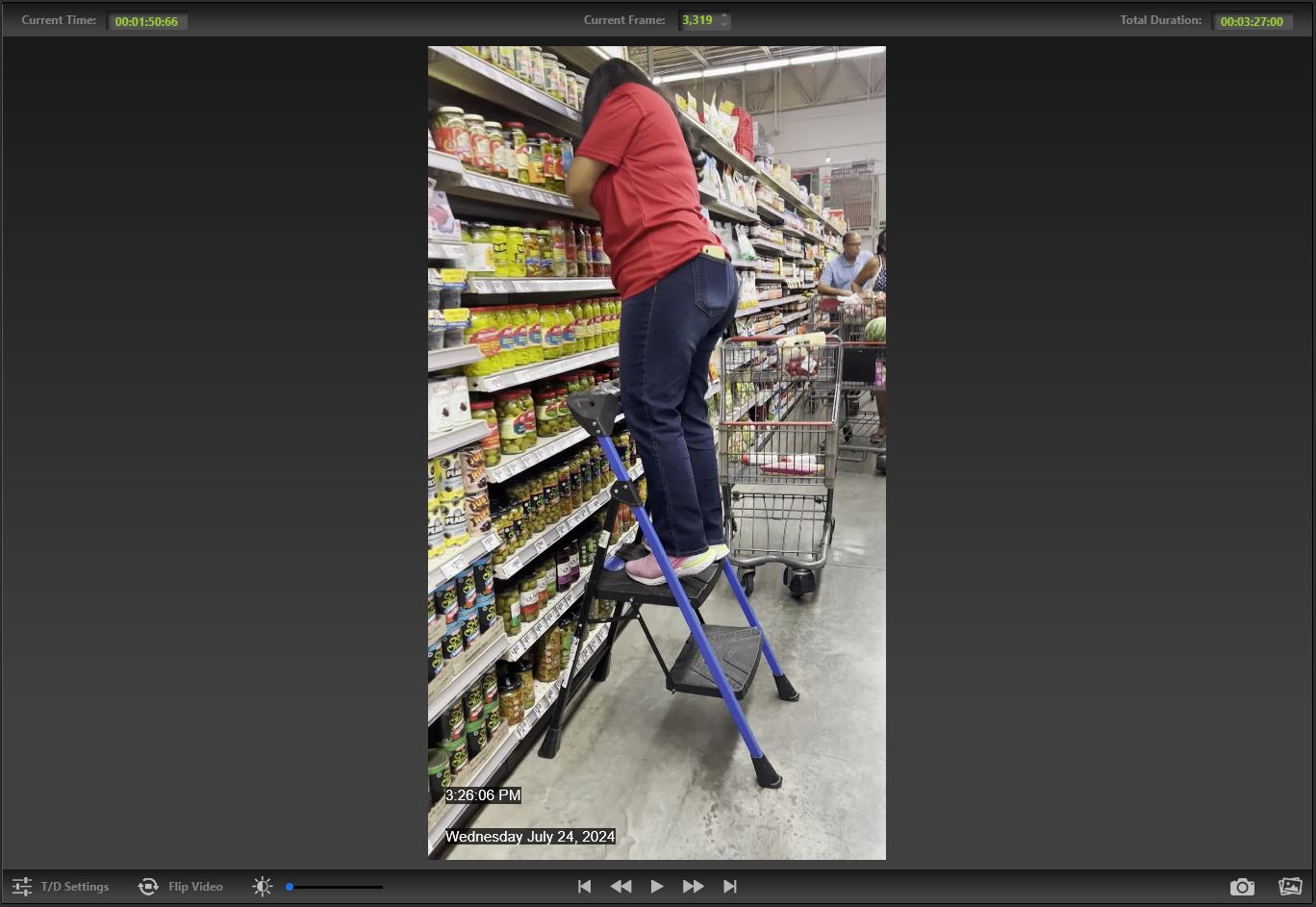
Time & date information where it belongs.
Mobile phones and modern cameras don't always provide time and date information in a convenient format. V3 Video Editor lets you extract that information and place it directly onto the video.
The result is a clean, professional timestamp that remains part of the exported video rather than sitting outside the actual video image.
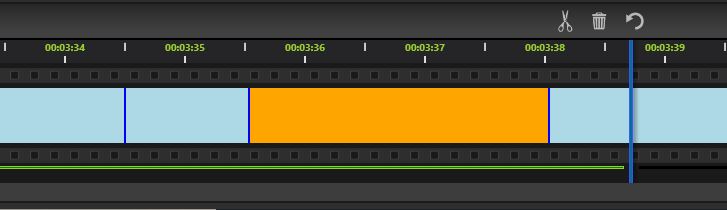
Find the moment you need. Fast.
Move through surveillance footage frame by frame, make precise cuts, and quickly move between videos in your collection.
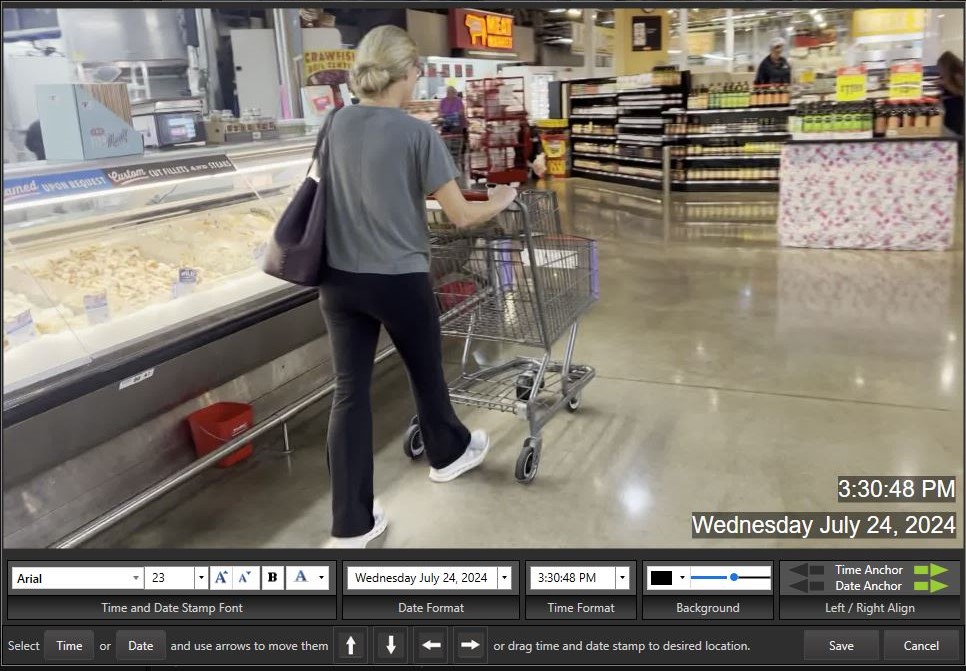
Make the time and date look exactly the way you need.
You control the appearance and placement of the time and date information.
- Choose the font family and size
- Customize text and background colors
- Choose from multiple date and time styles
- Position the timestamp anywhere in the frame
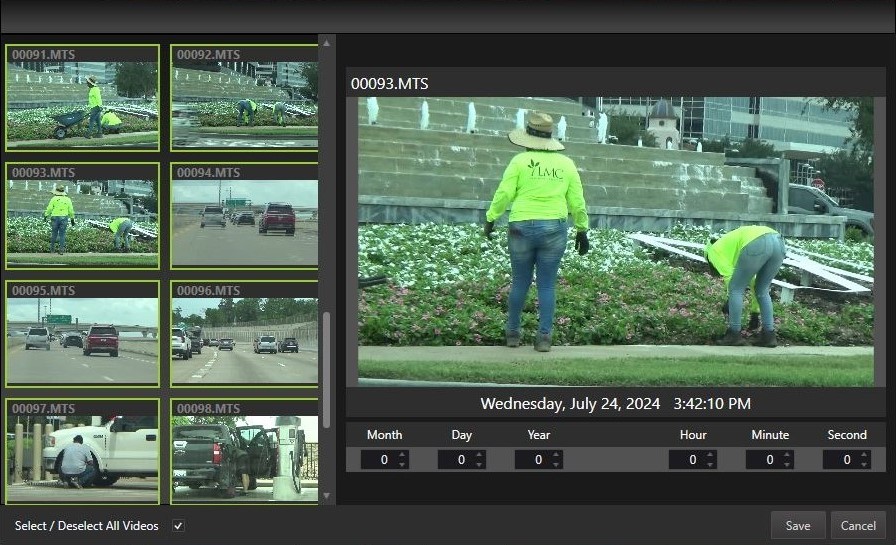
Correct inaccurate camera timestamps.
Camera clocks aren't always correct. Daylight saving changes, incorrect settings, or a simple oversight can leave footage with the wrong time or date.
V3 lets you adjust the date and time for an individual video, selected groups or an entire collection, giving you control over the information displayed in your final export.
Your footage. Your settings.
Configure individual videos, selected groups or an entire collection without having to rebuild your project from scratch.
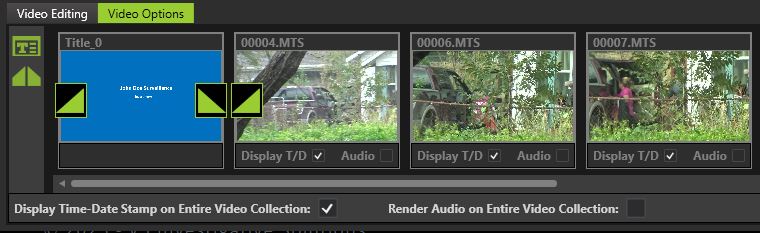
Video Options
Add custom titles, black screens and fades. Turn time and date information or audio on and off for individual videos, selected groups or the entire collection. V3's Global Options allows you to quickly add fades and black screens to the beginning and end of the video or between videos with different dates.
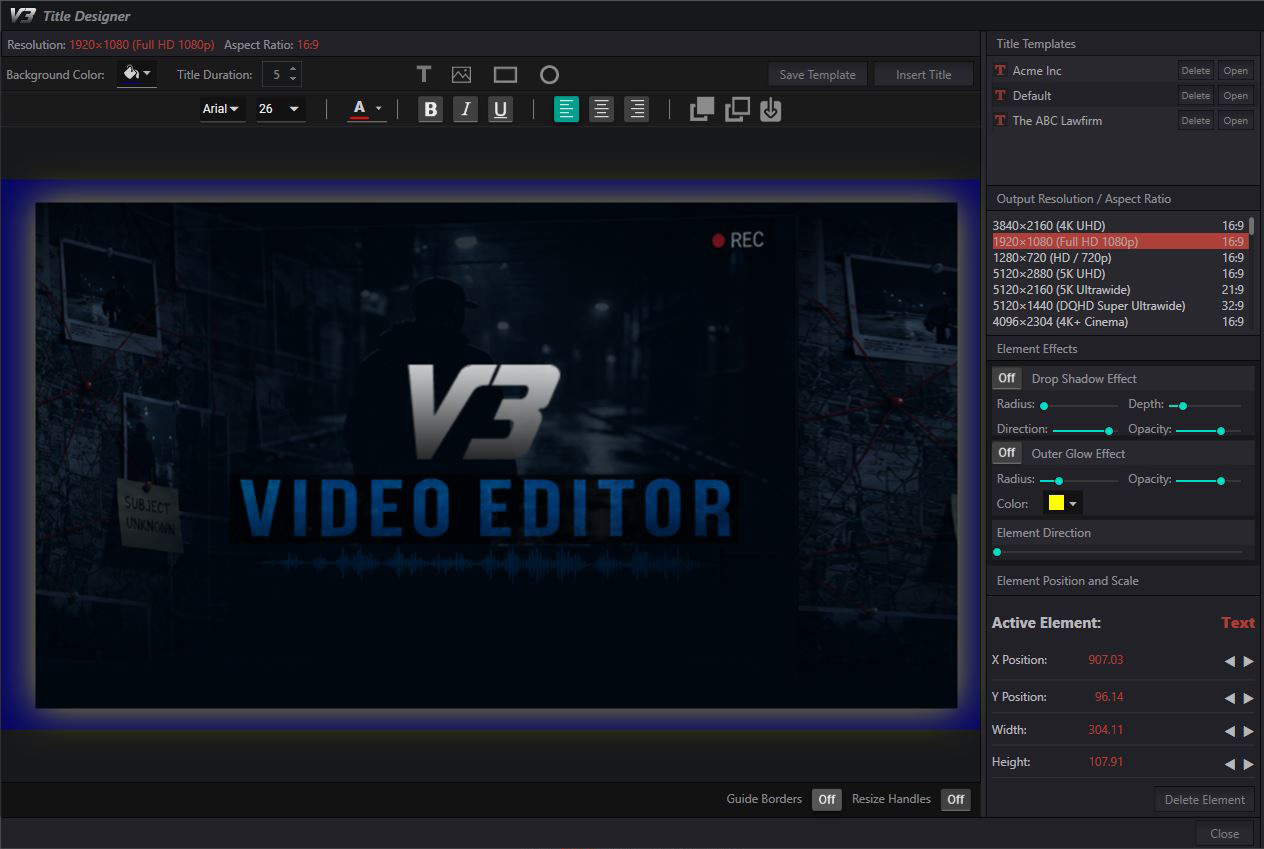
Create Professional Titles
Create professional titles, captions, and branding using customizable text, images, shapes, and backgrounds. Position and style each element exactly where you want it, then include your finished design in the exported video.
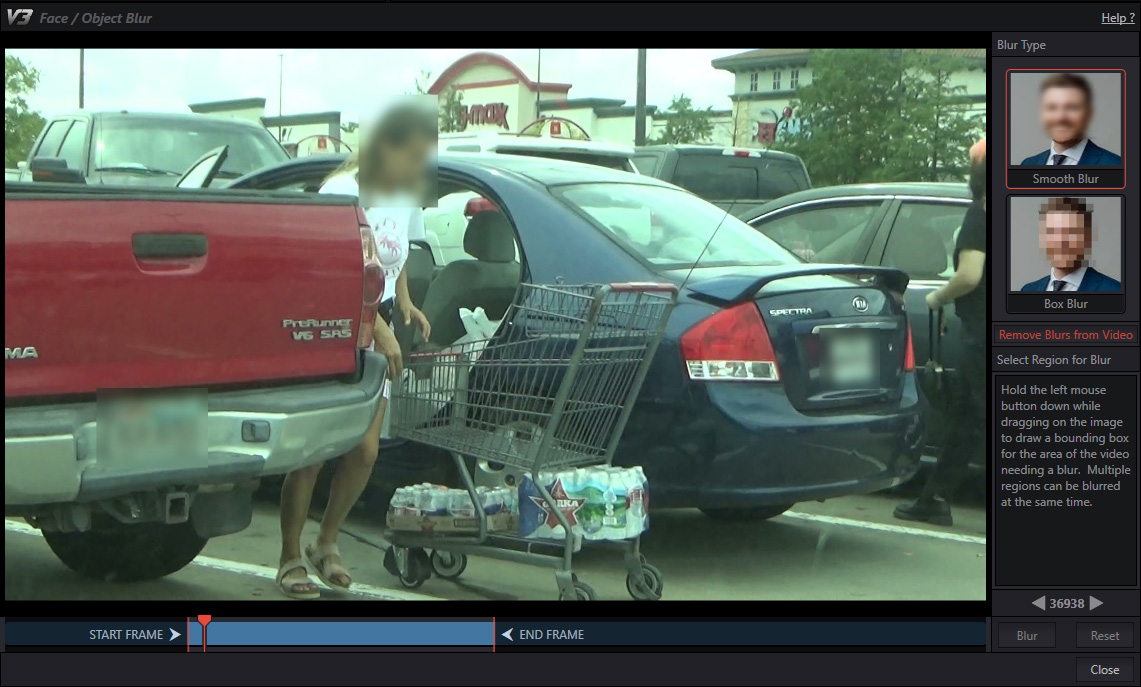
Blur with AI Face and object detection
Simply apply a blur to a face or object, and V3 automatically tracks it as it moves across the frame. No manual keyframes, complicated setup, or tedious adjustments—just apply the blur and let V3 do the work.
Focus on the details that matter
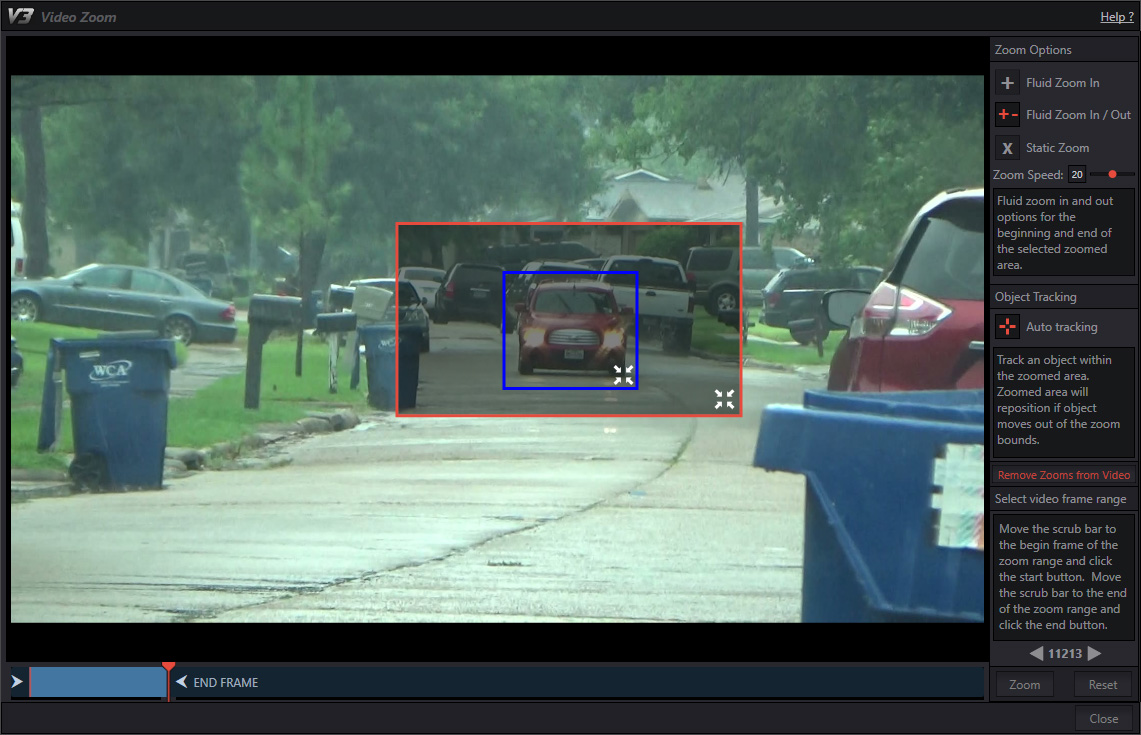
Select an area of the video to zoom in on, then track a person or object as they move through the frame. V3 keeps the subject in view automatically, making it easy to highlight important details in your exported video.
Manage surveillance photographs
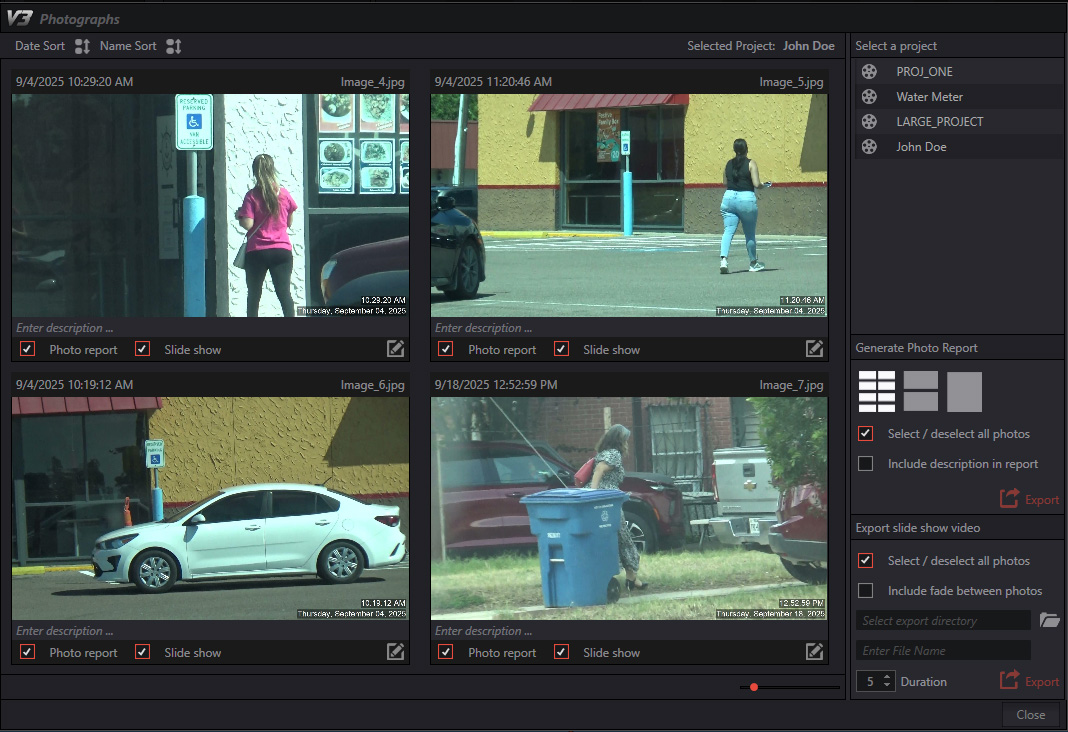
Photo Reports
Capture stillshots from your surveillance video and create professional Photo Reports with descriptions of activity. You can also turn your stillshots into a video slideshow for easy presentation and review.
Edit Stillshots
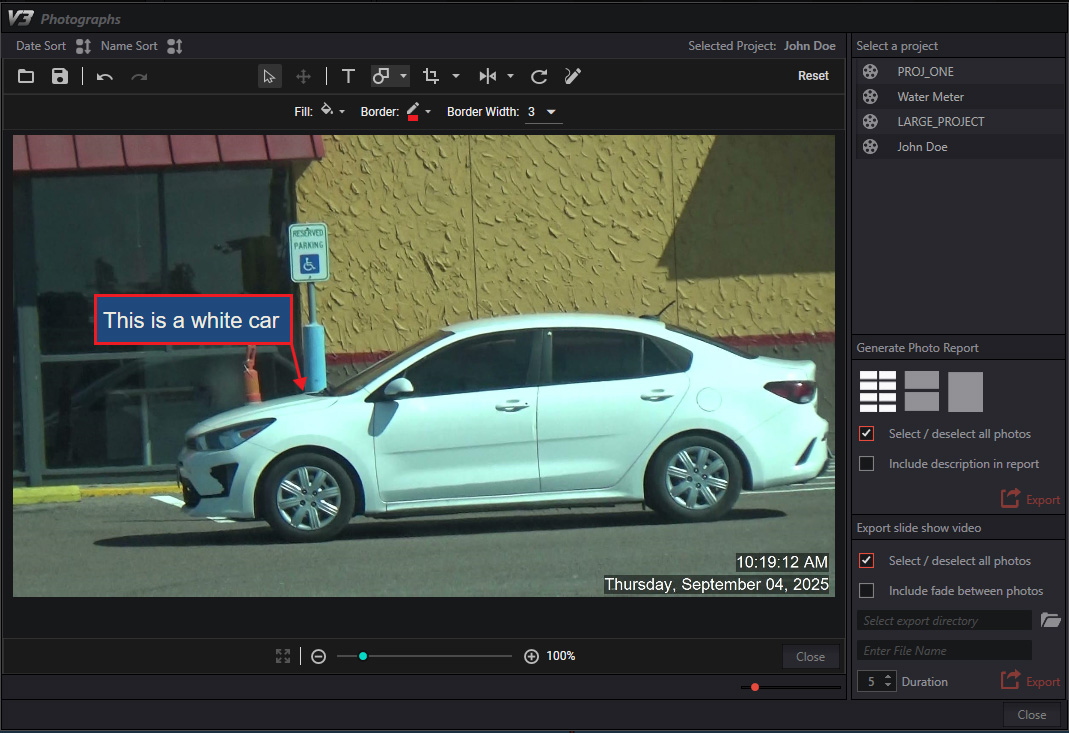
Enhance your stillshots with powerful editing tools. Add text and shapes, crop and rotate images, and highlight important details before including them in your report.
Protect your surveillance video automatically
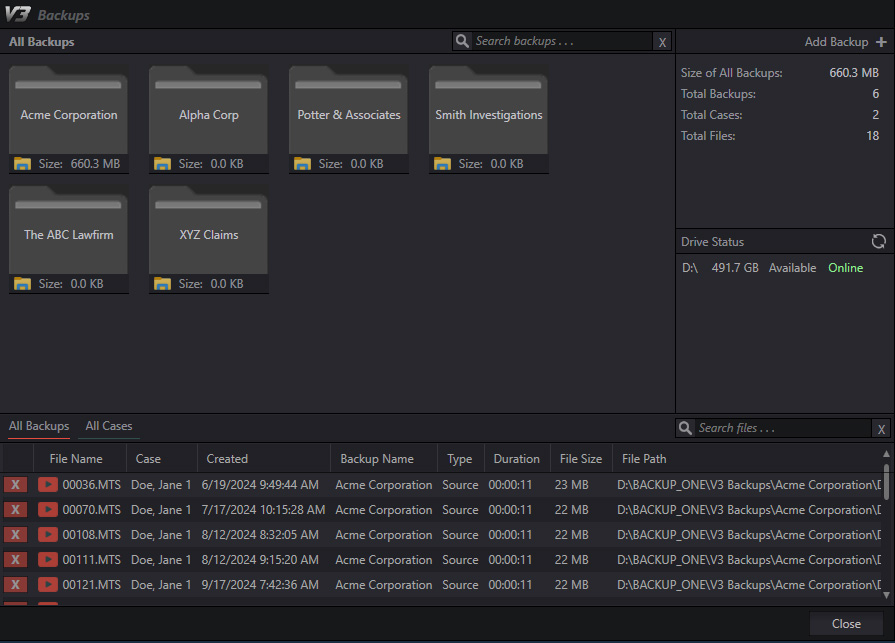
Keep your surveillance video and project files protected with automatic backups. Configure your backup preferences once, and V3 will automatically back up your selected files whenever you export your video.
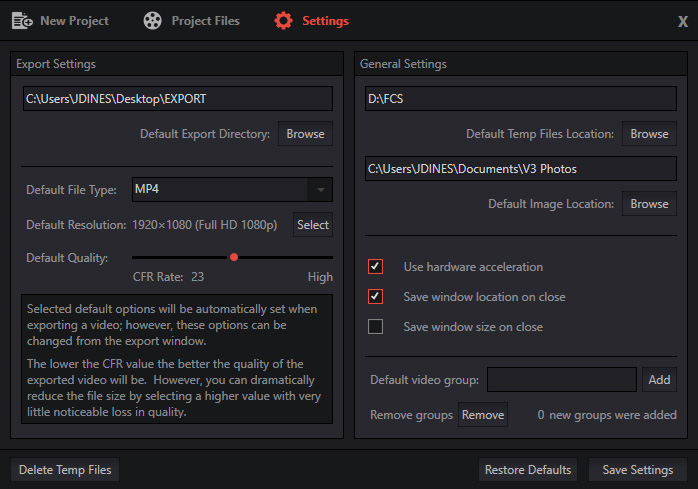
Adjust settings to your needs
Customize V3 to work the way you do. Set your default export directory, export resolution, stillshot directory, and temporary file location.
V3 can also remember your preferred window position and size, so your workspace is ready exactly where you left it the next time you open the application.
Spend less time waiting for your export.
V3 Lightning Export is designed specifically around the demands of surveillance video. Process your project in "lightning speed" and get back even faster to your other investigative work.
Import video from virtually any source and resolution, then choose from more than 40 resolution and aspect-ratio combinations for your final export.
Start Your Free Trial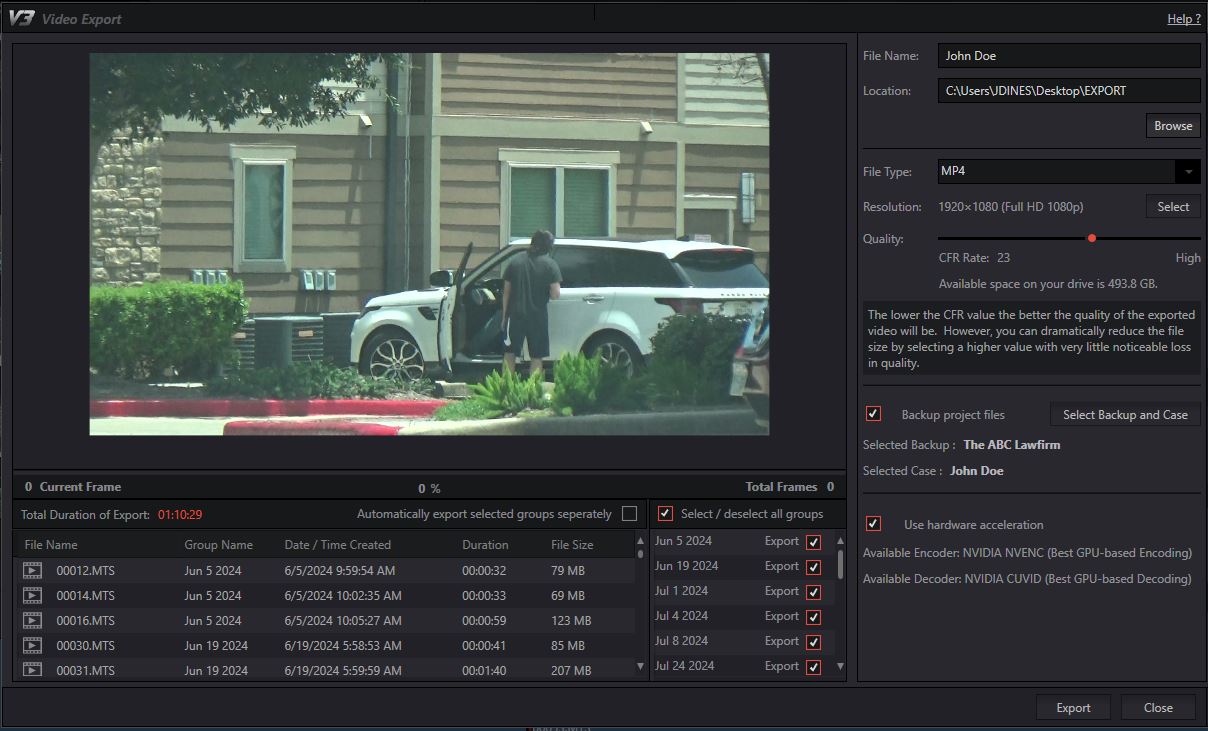
Built for investigators
Try V3 Video Editor before you commit. Download the free trial and see how much faster your surveillance video workflow can be.
Download Free Trial